Resolution holds
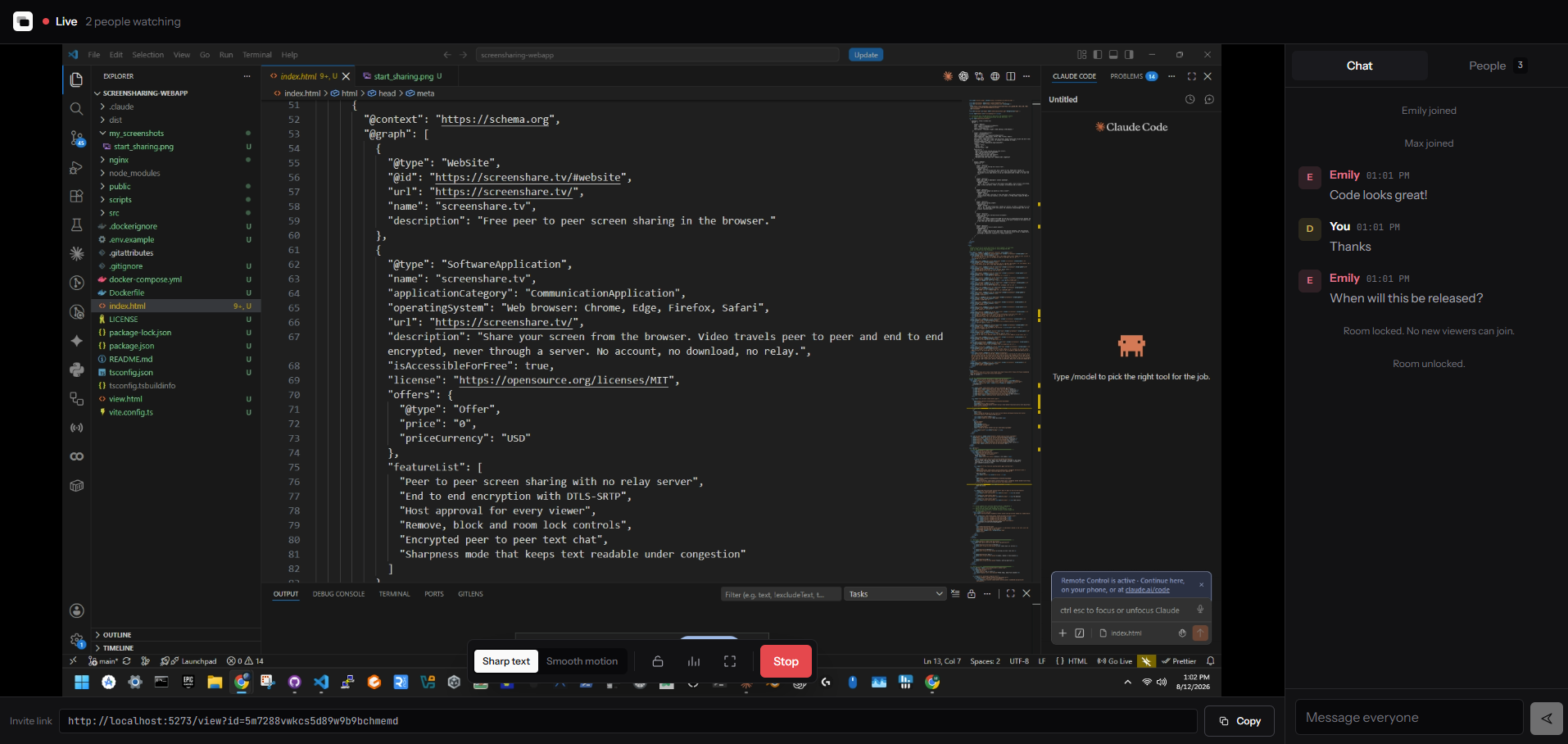
Degradation preference is set to maintain resolution, so frame rate falls under load and small text stays legible.
Pick a window, send a link, done. Your screen travels straight to the people watching, so it is never uploaded, never re-encoded, and never sitting on a disk somewhere waiting to leak.
0 bytes
of your video reach our servers
130 bits
of entropy in every room link
1 tap
to admit, remove or block anyone
$0
forever, with no paid tier
How it works
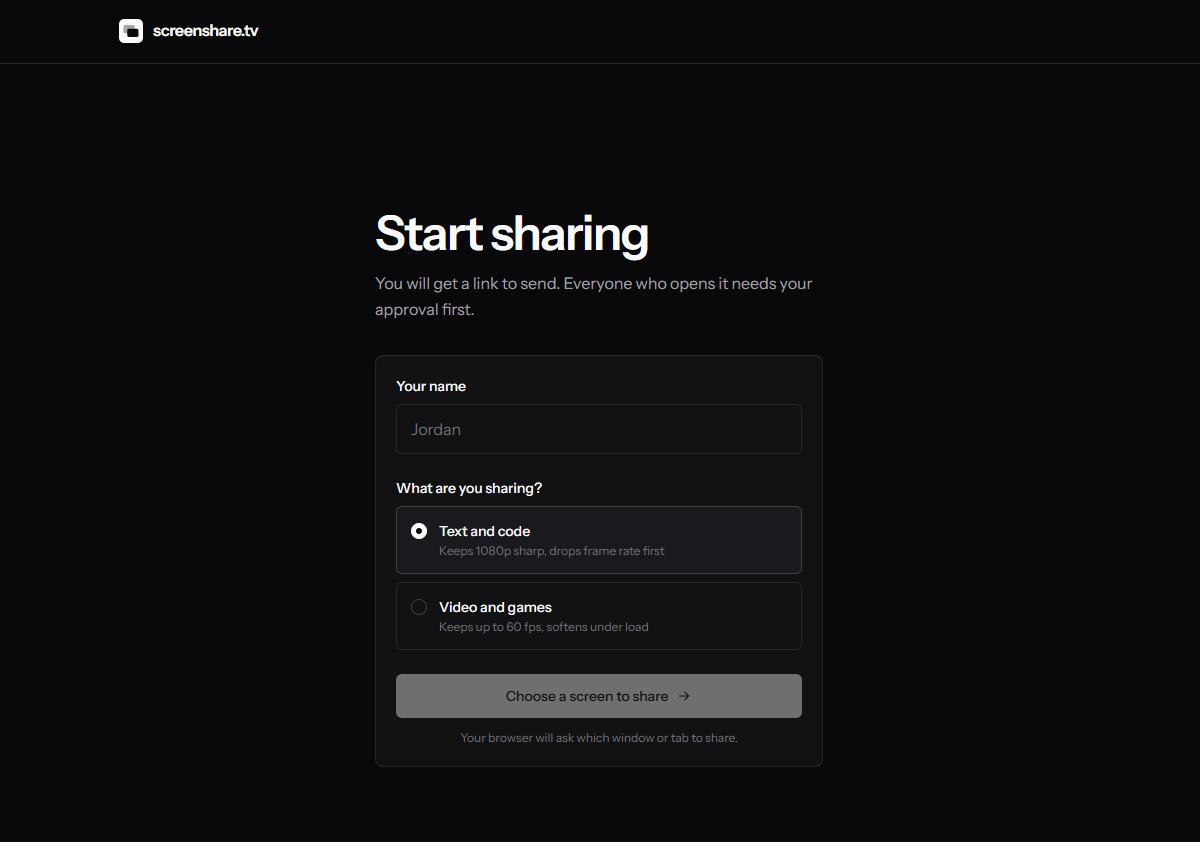
One window, one tab, or the whole screen. Your browser asks, not us, and you can stop from the app or the browser's own bar.
You get a link carrying a 130-bit random id. Send it however you like. It cannot be guessed, and it dies the moment you stop sharing.
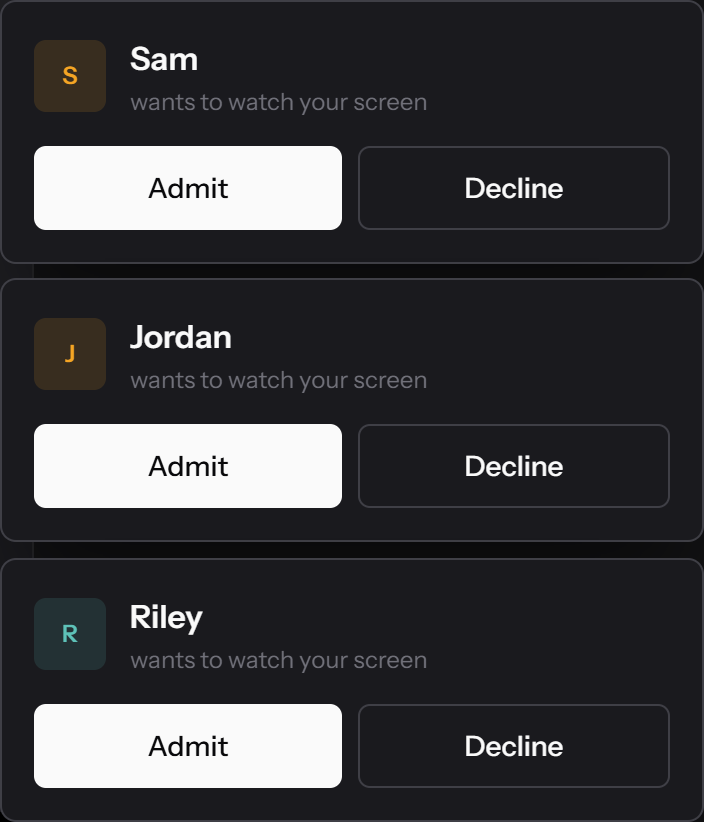
Everyone who opens the link has to knock first. You see their name and decide. Nobody sees a pixel before you say yes.
The connection
Almost every browser screen sharing tool routes your video through a machine they own. It is the easy way to build one. It also means your screen exists, decrypted, somewhere you cannot see.
Every frame is decrypted, re-encoded and re-encrypted on the way past. Bandwidth is predictable and big audiences are easy, which is why the model is popular. You are simply trusting that nobody looks.
One hop, encrypted with keys only the two browsers hold. Our signalling server introduces you and then has nothing left to do. It never receives a frame, which is also why this costs nothing to run and stays free.
You are the door
Most tools treat the link as the password. Forward it once and it works forever, for anyone who has it. Here the link only buys the right to knock.
Each person appears with the name they entered. Admit or decline, one at a time. Until you do, they see nothing at all.
Their view cuts instantly. Blocking also stops that tab walking straight back in.
Once everyone is in, shut the door. Later requests are turned away without ever interrupting you.
In a session
The shared screen takes the room. Chat and the people list sit beside it on a desktop and slide over on a phone, so nothing is ever buried in a menu.
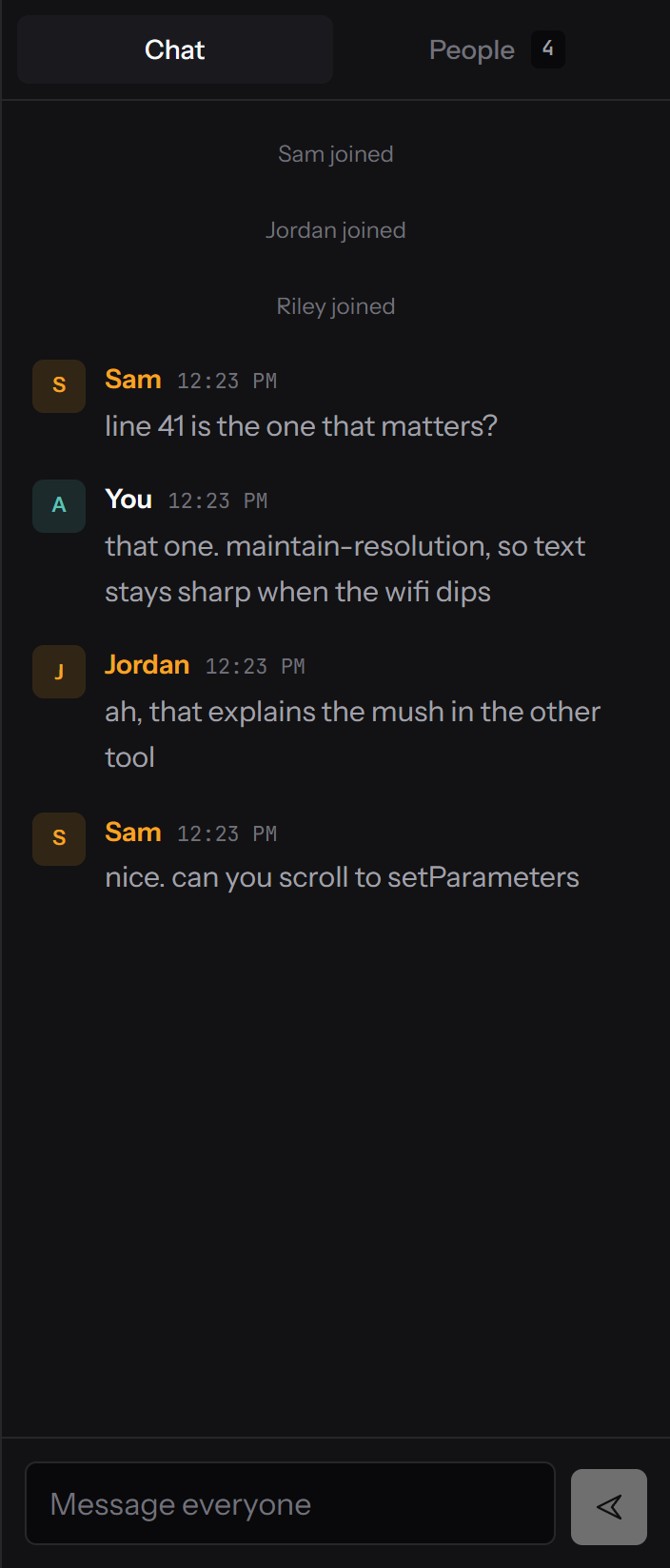
Messages ride the same encrypted peer connection as the video, on a WebRTC data channel. They never reach our server, so there is no history for us to keep or hand over. Each person keeps one colour across the roster, their avatar and every message they send.
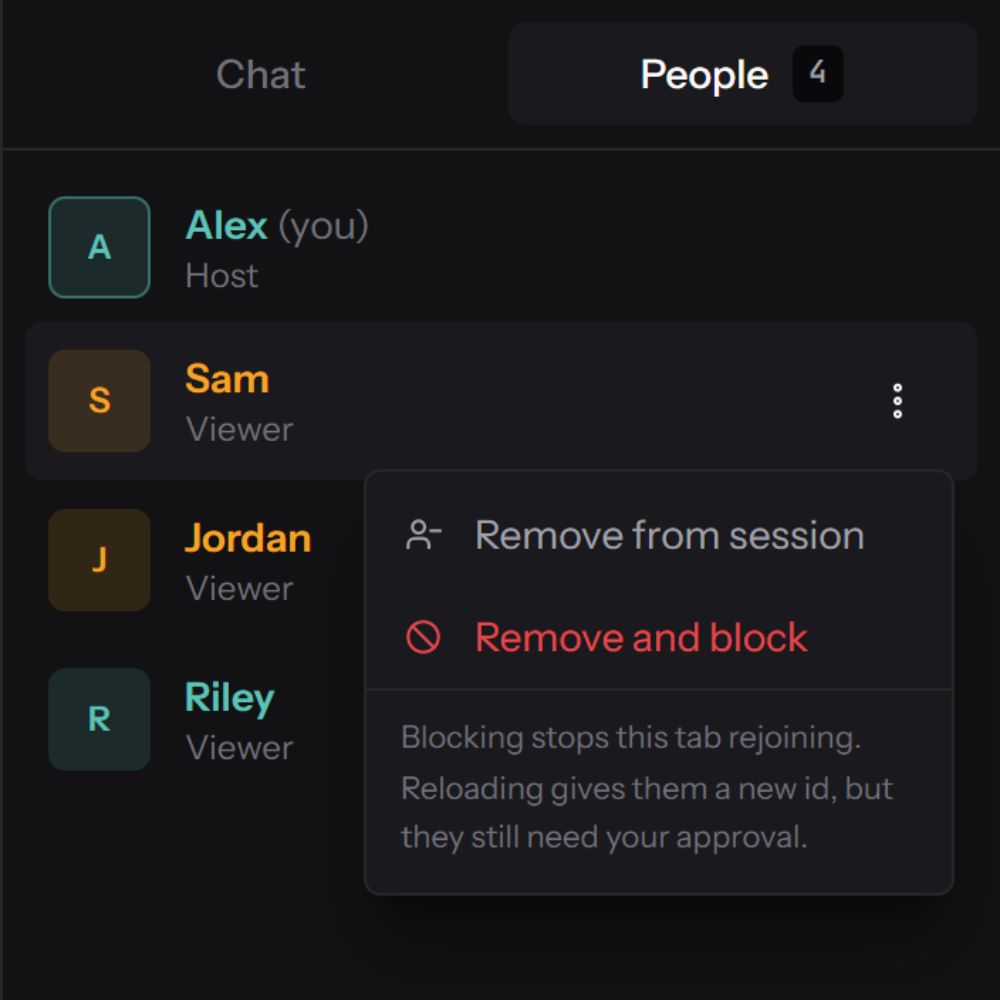
The header carries a live count and the people tab names everyone in the room. There is no hidden observer mode and no way to watch without appearing in this list, where removing or blocking anyone is one click away.
When bandwidth tightens, WebRTC must give something up. Every other tool cuts resolution, which is right for a webcam and wrong for a screen: your code turns to mush at the exact moment somebody is reading it. Sharp text holds the pixels and drops frames instead. Smooth motion does the opposite, for video and gameplay.

Quality
The defaults browsers ship were chosen for talking heads. Four changes make the difference between readable and useless, and none of them cost anything.
Degradation preference is set to maintain resolution, so frame rate falls under load and small text stays legible.
4 Mbps for text, 8 Mbps for motion. The browser default is far lower and quietly caps how good it can look.
The browser is asked which codecs it can encode in hardware, and those are used first. Otherwise AV1, then VP9, then VP8.
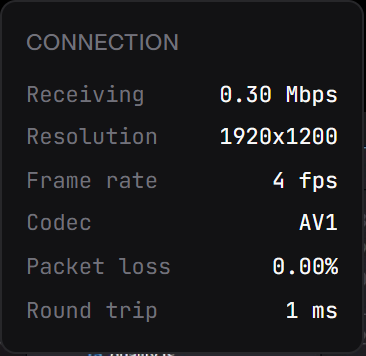
Bitrate, resolution, frame rate, codec, encode time and what is limiting quality, live, one click away.
Security
Every service in this category advertises end to end encryption. Most mean "we used WebRTC", which encrypts by default and says nothing about who can read your session. Here is what actually protects you, and the one thing that does not.
DTLS-SRTP is mandatory in WebRTC and the keys are negotiated directly between the two browsers. With no media server in the path, nothing in the middle holds a key.
130 bits of entropy from the browser's CSPRNG, single use, and dead the moment the session ends. Enumerating one is not a practical attack.
Messages use the same encrypted connection as the video. We store no history because we never receive any.
No recording feature, no storage, no accounts. When a session ends, nothing of it remains on our side.
The honest limit. Our signalling server handles room ids and the connection setup messages, and those contain the IP addresses of both ends. That is unavoidable in any peer to peer system, because something has to introduce the two browsers to each other. It never touches video, audio, or a single chat message. You can verify all of that in the source.
Open source
A privacy claim you cannot check is just marketing. The entire thing is public: the WebRTC setup, the signalling server, the approval logic, the input sanitising, the deployment config. If we were quietly relaying your screen somewhere, the code would say so.
Every statement on this page maps to code you can open. The relay is off in one named constant.
Two containers behind Traefik. Set one domain variable and deploy it on your own box.
Change the limits, the branding, the quality profiles. It is a small codebase on purpose.
If this site ever disappears, the software does not. That is the point of publishing it.
Compatibility
Anything modern can watch, phones and tablets included. Capturing a screen is desktop only, and not because we skipped it: mobile operating systems do not offer screen capture to web pages at all.
| Browser | Share a screen | Watch a screen | Share audio |
|---|---|---|---|
| Chrome, Edge, Brave | Desktop | Yes | Tab audio |
| Firefox | Desktop | Yes | Not yet |
| Safari 17 and later | macOS | Yes | Not yet |
| iOS and Android | Not possible | Yes | Not yet |
To share sound in Chrome or Edge, choose the Tab option in the picker and tick "Also share tab audio". Firefox and Safari do not expose tab or system audio to web pages yet, so sharing is silent there.
Where it fits
Every viewer gets their own copy of your screen straight from your machine, so your upload speed sets the ceiling. Excellent for a few people. The wrong tool for broadcasting to a hundred.
Send a link, watch their screen, talk them through it. Nothing to install on either end, which matters most when the person you are helping is not technical.
Sharp text mode exists for this. Small type stays readable even when the connection is having a bad minute, and chat sits right beside the code.
Walk a few people through a design or a rough build without booking a meeting, creating an account, or making anyone download a client.
Questions
The whole thing is small enough to explain, and public enough to check.
Yes, with no paid tier and no plans for one. Video never touches our infrastructure, so the expensive part of a screen sharing service does not exist here. We pay for a small server that introduces browsers to each other, plus a domain. The project is open source, so you can check that claim rather than trust it.
No. It runs entirely in the browser on WebRTC, which is built into Chrome, Edge, Firefox and Safari. No plugin, no extension, no account, and nothing for the person you are sharing with to install either.
Eight is the cap, and three to five looks best. Because each viewer gets their own stream straight from your machine, five people at 4 Mbps needs roughly 20 Mbps of upload. Check your upload speed rather than your download speed, they are rarely the same number.
No, and not as a policy we could quietly change. The stream never reaches our servers, so there is nothing to look at even if we wanted to. Our signalling server only relays the setup messages that let two browsers find one another, and you can read exactly what it does.
Sending video directly means both ends have to be reachable, and some networks make that impossible. Mobile data is the usual culprit, followed by office and campus Wi-Fi. The standard fix is a relay server, but that would route your screen through a machine we control, which is precisely what this is built to avoid. Home Wi-Fi solves it nearly every time.
The session ends for everyone immediately and the link stops working. Rooms exist only while you are sharing, so nothing is left behind to clean up or leak later.
Yes. It is two containers behind a reverse proxy, one serving the static site and one handling signalling. Set a single domain variable and deploy. The repository has the compose file and the instructions.
Your browser will ask which window to share. Everything after that is between you and the people you invite.
Share my screen